What needs you,
in one place.
Adeu Ambient is an app you install on your computer that reads your incoming email and chats, prepares replies and meeting times, and keeps track of what you are working on. You spend less time sorting through messages and stay in control of what gets sent and what it remembers.

How it works
- Sources
Work arrives across your channels
Ambient connects to the accounts and folders you choose.
- Email & calendar
- Microsoft 365, Gmail, IMAP, shared mailboxes and Google Calendar.
- Chat & messaging
- Slack, Teams, Discord, WhatsApp and LinkedIn.
- Meetings
- Calendar invites, pre-call context and meeting recordings.
- Files & folders
- Local folders, Google Drive, OneDrive, SharePoint and Git.
- On your computer
Ambient keeps memory & prepares the next step
Runs with Google Gemini or a local AI model of your choice.
- Sorts the signal
- Routine messages pass quietly; decisions and things worth knowing surface.
- Drafts & schedules
- Writes replies in your own style and finds meeting times that suit everyone.
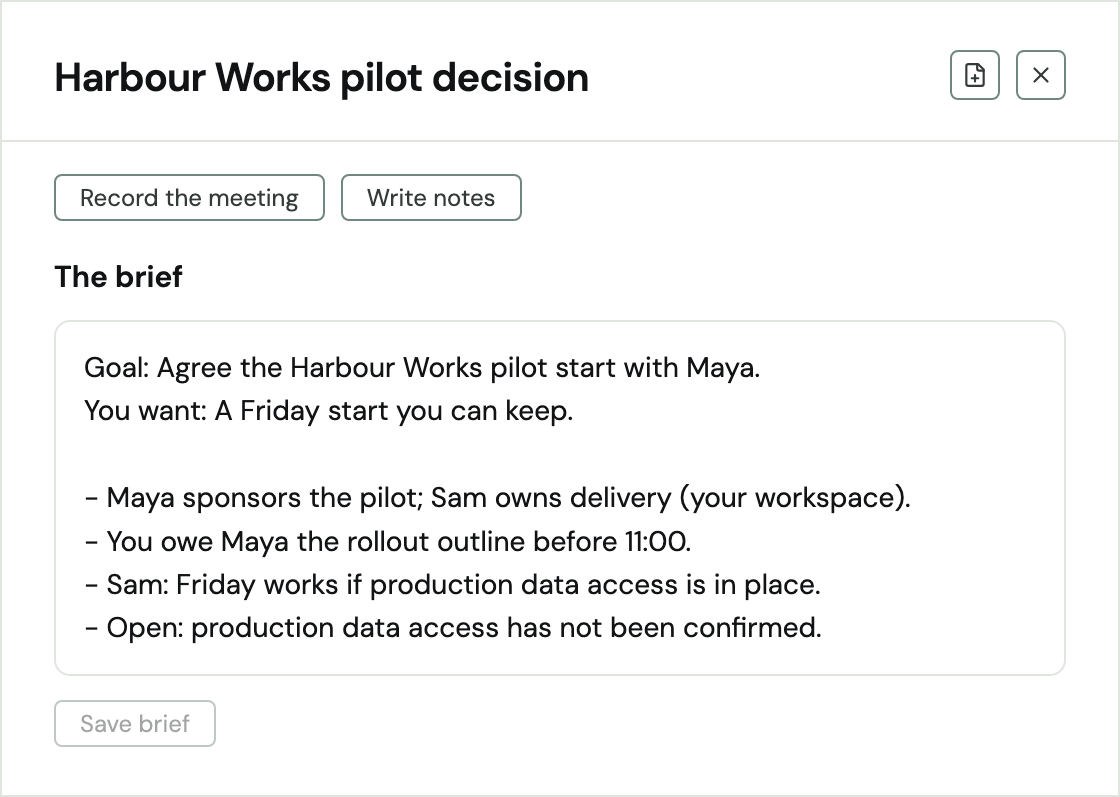
- Meeting briefs & notes
- Prepares a brief before each call (agreed, owed, open) and takes notes.
- Local knowledge base
- Updates plain Markdown notes on people, companies, projects and deadlines.
- In your hands
You decide what gets sent & shared
Every draft, standing rule and note stays under your control.
- Check, change & send
- Review and edit prepared replies, calendar invites and drafts before they go out.
- Standing rules
- Let Ambient answer routine threads from specific addresses you choose.
- Own your notes
- Read or edit your Markdown vault in Obsidian or any editor, or share approved notes to a team Git repo.
- Connect Claude
- Use the work memory Ambient keeps current inside Claude Desktop and Claude Code.
In the app
Your day, on one screen.
Open Ambient to see what needs a decision, what is worth knowing and what is coming up.
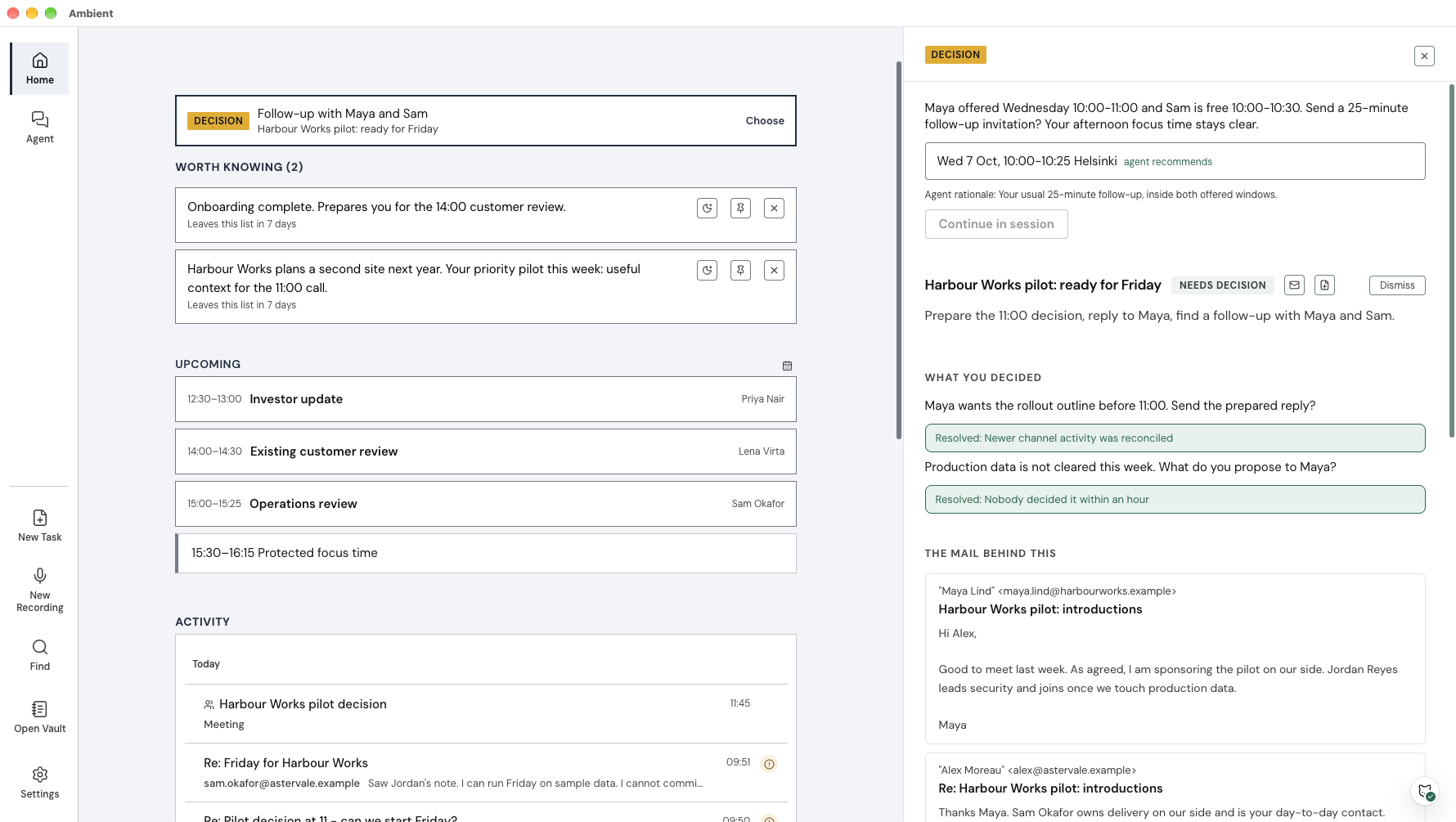
Needs you
A decision waiting for your answer.
Worth knowing
Things to be aware of.
Upcoming
Today’s meetings and who they are with.
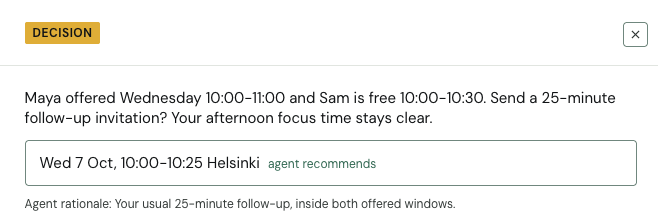
The details
A suggested answer and the emails behind it.
For contract work
Adeu AI Contract Workflow
Customer contract changes resolved at the salesperson's desk. Adeu checks each draft against your playbook in Claude Desktop and returns a Word redline. Legal is needed only for the exceptions.
Your information
Your notes and message copies live as plain files on your computer, not on our servers. For the AI work, use the included Google Gemini service or run a local AI model on your own machine.
Runs on Mac, Windows and Linux. Meeting notes work on Mac and Windows.